


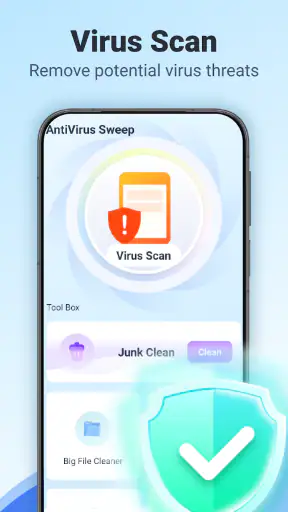
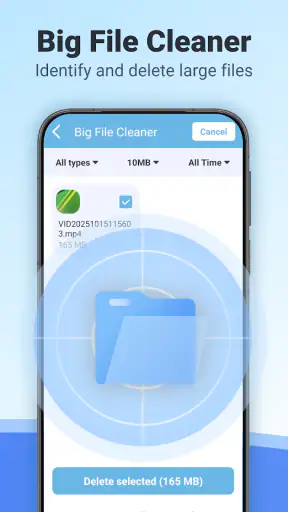
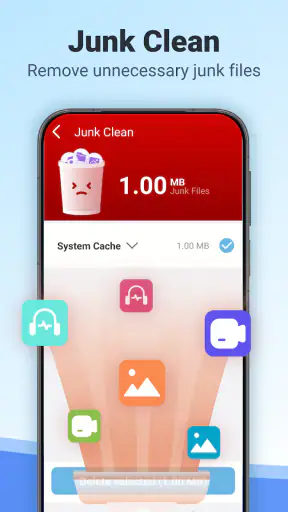
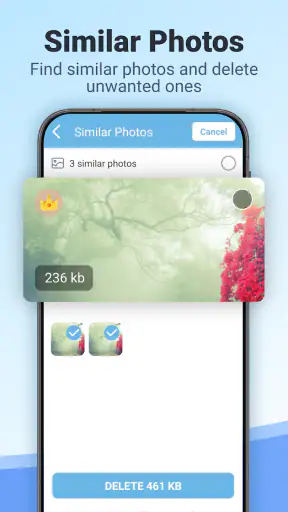
When I try a new security utility, I do not judge it only by whether it offers a scan button. I also look at how clearly it explains its actions, whether I can review what it wants to clean, and whether the app gives me enough control before anything changes on my phone. AntiVirus Sweep & Security from Jammer Education takes a straightforward tools-app approach: it combines a virus scan with junk cleaning and a way to identify large files. That makes it interesting for people who want a simple maintenance check rather than a complicated security suite.
My overall impression is cautious but useful. The app is free, rated for Everyone, and has reached more than five million installs, so it is not an obscure experiment with no visible user base. At the same time, its average rating of 3.7 from roughly six thousand ratings suggests a mixed experience rather than universal satisfaction. I would treat it as a convenient second look at an Android phone, not as a complete replacement for the phone’s built-in protections or careful downloading habits.
What AntiVirus Sweep & Security is really useful for
The strongest idea here is the combination of three everyday jobs in one place. A virus scan addresses the security concern, junk cleaning targets clutter, and large-file cleaning helps locate storage-heavy items. These tasks are related, but they are not the same thing. A large video is not automatically dangerous, and a junk file is not necessarily malware. Keeping those distinctions in mind is important when using any cleaner that presents several types of results together.
I find this kind of app most useful when my phone feels crowded or when I want a quick review before a trip, a system update, or a period when I will be taking many photos and videos. Instead of opening separate settings pages and browsing folders manually, I can begin with one maintenance tool and then decide what deserves attention. That convenience is the main reason to consider it.
It is less compelling for someone who already manages storage comfortably through Android’s own settings and uses a trusted security solution. The built-in file manager can often show large items, while Android itself already includes important safeguards. In that situation, AntiVirus Sweep & Security may feel like an extra layer of menus rather than a necessary part of the phone.
Why the developer and app history matter to my judgement
Jammer Education lists the app as a tools application, with a release date of September 27, 2025, and the current version is 2.1.0.0. Those details tell me that I should evaluate it as a relatively recent utility rather than assume it has a long-established record. The Android requirement is version 8.0 or later, which covers a broad range of still-used devices, including older phones that may need help managing limited storage.
The install reach is encouraging because it means the app has been tried by a substantial number of people. However, popularity does not prove that every scan is accurate or that every cleaning suggestion is appropriate. I pay more attention to whether the results are understandable and whether the app lets me inspect them before removal. That is where trust is built in practice.
The rating gives a useful warning against exaggerated expectations. A middling score can reflect different phone models, different expectations, or frustration with the way cleaning results are presented. I would therefore install it for a specific purpose—checking security and reclaiming space—rather than expecting it to transform performance automatically.
What I check before allowing a scan
My first step is to read each screen rather than tapping through setup automatically. A security or cleaning tool may need access to files, applications, or storage areas to perform its central tasks, but the important question is whether the request matches the action I selected. If I am starting a large-file review, I want to understand why the app needs the access it requests and what it will show me afterward.
I also look for visible controls around notifications, optional recommendations, and any prompts that appear after the initial scan. A trustworthy experience should make the main action clear without making a user feel pushed into cleaning everything immediately. If a result is vague, I prefer to pause and investigate it through Android settings or a file manager before taking action.
This is a practical trust test rather than a claim about hidden behavior. I judge only the controls that are visible while using the app. If an on-screen explanation is too brief, that is a reason for me to be conservative, especially when the proposed action involves personal files or application data.
How I would use the virus scan responsibly
I would start the scan when the phone is idle, connected to power if necessary, and not in the middle of an important task. The useful outcome is not simply a reassuring message; it is a result I can understand. I want to know whether the app identifies a specific item, reports a general condition, or recommends another action. Those are very different kinds of information.
If the scan flags an application I recognize, I would not uninstall it immediately. I would first check when I installed it, whether it came from a legitimate source, and whether Android shows unusual battery, data, or permission activity. A security app can help draw attention to something, but I still make the final decision. This is especially important for work tools, banking apps, messaging clients, and games that may store local data.
I would also avoid treating a clean result as proof that the phone is completely safe. Safe browsing, current system updates, careful app installation, and strong account practices remain important. The scan is best viewed as one checkpoint in a broader routine. That mindset prevents both unnecessary panic and false confidence.
Junk cleaning needs a slower second look
The junk-cleaning function is potentially convenient, but it is the part where I would be most careful. “Junk” can include temporary material, leftover files, cached content, or items that a user may still want. A cache can be rebuilt, but a downloaded document, offline map, editing project, or locally saved attachment may be valuable even if it is not being used every day.
My preferred workflow is to scan first, expand the result categories, and deselect anything whose purpose is unclear. I would clean in small batches instead of approving one large removal. After each batch, I would open the apps I rely on most and make sure their offline content, drafts, and saved preferences still behave as expected.
This slower approach reduces the main trade-off of cleaner apps: saving time versus losing context. AntiVirus Sweep & Security may identify clutter faster than I can browse every folder, but speed is not a reason to surrender control. The best result is not the smallest storage number; it is a phone with more usable space and no missing files.
Large files are where the app can save real time
The large-file tool has a more concrete everyday benefit because size is easier to evaluate than the vague idea of clutter. If my phone is nearly full, I can look for old recordings, duplicate-looking videos, offline downloads, or forgotten installation packages. I would review the file name, location, and date before deleting anything, particularly if the item came from a messaging app or a camera folder.
A useful habit is to move important material elsewhere before removing it. For example, after recording a family event, I might keep the original until I have confirmed that a backup exists and opens correctly. The same principle applies to documents received for work or school. A large-file list is a discovery tool, not an automatic deletion order.
This is also where the app compares favorably with a basic storage meter. Android settings may tell me which categories consume space, but a dedicated review can make individual candidates easier to notice. On the other hand, a file manager may provide more folder context and better control for users who already understand their storage structure. The better option depends on whether I value a guided overview or detailed manual browsing.
Privacy-sensitive moments deserve extra attention
Security and cleaning tools naturally operate close to personal information because they inspect the phone’s applications and files. That does not automatically make them unsafe, but it does raise the standard I apply. I want to know what I am authorizing at each step, what the app displays in its results, and whether an action can be canceled before deletion.
I would be particularly deliberate on a shared device, a phone containing confidential work material, or a device used for financial and health-related records. Before scanning, I would close sensitive documents and avoid taking screenshots of result pages that might expose file names. I would also review Android’s permission controls afterward so I know which access remains enabled.
The key point is that a security label is not a substitute for user choice. I do not assume that a tool is harmless simply because its purpose is protective. I look for clear explanations, limited requests that match the selected task, and a visible path back to Android’s own controls. If those details are unclear during use, I would stop rather than continue out of habit.
How much control does the user keep?
For me, user agency comes down to three moments: before the scan, before cleanup, and after the result. Before the scan, I want to understand access requests. Before cleanup, I want item-level or category-level review. After the result, I want to know what changed and how to revisit the relevant Android setting if something behaves differently.
I recommend treating every “clean” action as a proposal. Read the categories, inspect unusual entries, and remove only what you can identify. If the app offers a broad selection by default, I would change that selection manually. This is a small habit, but it makes a major difference when a phone contains years of photos, downloads, and app-generated files.
I would also keep an eye on account-related prompts and any request that appears unrelated to scanning or cleaning. A tool for local phone maintenance should be understandable without pressure to hand over more information than the task requires. I cannot make assumptions beyond what is shown in the app, so my recommendation is simple: use the visible choices, decline anything unnecessary, and check Android’s permission manager when finished.
A realistic day-to-day example
Imagine I am leaving for a weeklong trip with limited connectivity. My phone warns that storage is almost full, and I need room for camera photos, maps, and messages. I would run the large-file review first, because deleting one unwanted video may solve the immediate problem without touching application caches or documents. I would copy anything important, remove only files I recognize, and then check the available space again.
Next, I might review junk categories, but I would avoid clearing material from apps that I need offline until I understand what will disappear. Finally, I would run the virus scan while the phone is charging. If it identifies something unfamiliar, I would investigate the app through Android’s app settings instead of reacting to a warning alone.
This order matters. It starts with the least ambiguous source of storage recovery, keeps travel-critical data protected, and uses the security scan as a separate check rather than mixing every result into one rushed cleanup. That workflow is more valuable than simply pressing a single optimization button.
Where it fits beside familiar alternatives
Compared with Android’s built-in tools, AntiVirus Sweep & Security may feel more focused because it puts scanning, junk review, and large-file discovery into one utility. The trade-off is that a dedicated cleaner can make broad recommendations that deserve more scrutiny than the phone’s basic storage controls. Users who prefer maximum transparency may be more comfortable working directly inside Android settings.
Compared with a full security suite, this app appears more narrowly aimed at routine scanning and cleanup. A broader security product may be preferable for people who want a larger collection of account, browsing, identity, or device-management features. I would not choose this utility as my only answer for a family device, a business phone, or a person who needs centralized security controls.
Compared with a manual file manager, the app is likely to appeal to people who want guidance rather than a folder-by-folder investigation. Manual management takes longer, but it gives me better context and makes accidental deletion less likely when I know exactly where my files are stored. In short, AntiVirus Sweep & Security sits between a basic settings screen and a comprehensive security package: convenient, focused, and dependent on careful review.
Who should install it, and who should skip it?
I would recommend trying it if you use an older Android phone, regularly run out of storage, or want one place to begin a periodic security and cleanup check. It is also suitable for someone who is comfortable reviewing suggestions manually and understands that scanning does not replace safe behavior. The free price removes the financial barrier to testing whether its workflow suits you.
I would skip it if your phone already has plenty of free space, you are confident with Android’s built-in storage tools, or you dislike granting a utility access related to files and applications. I would also choose a more comprehensive security product if you need features beyond the three core tasks presented by this app. People who expect a single tap to make every decision for them are poor candidates too, because responsible cleanup still requires attention.
My cautious verdict
AntiVirus Sweep & Security is a practical tools app with a clear everyday purpose: help me look for threats, clutter, and oversized files without making me assemble several separate checks. Jammer Education has kept the concept easy to understand, and the broad Android compatibility makes it relevant to many phones. Its user base is substantial, but the average rating tells me to approach it as a useful aid rather than a flawless authority.
The safest way to use it is as a review assistant, not an automatic delete button. I would inspect permissions and prompts, run the large-file check before broader cleanup, protect important files, and verify suspicious results through Android’s own settings. That approach preserves the app’s convenience while reducing the risk of removing something valuable.
My final recommendation is therefore conditional. If you want a free starting point for routine maintenance and are willing to make the final choices yourself, AntiVirus Sweep & Security is worth testing. If you need advanced security management, detailed file control, or a tool you can trust without checking its suggestions, Android’s built-in options or a more comprehensive alternative may be a better fit. For careful users, its value is not in promising perfect protection; it is in bringing several useful checks together while leaving room for sensible judgement.


